
In today’s scenario—where offices are increasingly compact and every square meter needs to be used wisely—there is a growing demand for smart solutions that combine functionality, well-being, and productivity. In this context, the ergonomic workstation emerges as an essential resource for balancing physical comfort with spatial efficiency. It’s not just about “fitting furniture” into a small space, but about creating a strategic layout that promotes health, focus, and better use of the available area.
The concept of a compact ergonomic workstation is not limited to large corporations modernizing their offices. It also applies to small businesses, startups, and even home offices. In this article, we’ll explore in detail how to organize, plan, and invest in ergonomic workstations that truly deliver efficiency for small offices—without compromising style or productivity.
Why invest in a compact ergonomic workstation
An ergonomic workstation is designed to help users maintain proper posture during long working hours, preventing muscle pain, fatigue, and health issues related to sedentary work. When adapted to compact environments, it becomes even more valuable, as it combines ergonomics with space optimization.
Key benefits include:
- Health prevention: reduces back, neck, and wrist pain
- Improved productivity: comfortable employees tend to stay focused longer
- Space optimization: smart layouts allow small areas to support multiple functions
- Enhanced workplace image: an ergonomic setup conveys professionalism and care for the team
How to plan an ergonomic workstation in small spaces
Planning an ergonomic workstation in a small office requires close attention to details that make a real difference. It’s not just about choosing smaller furniture, but understanding circulation, team needs, and daily workflows.
Key planning points include:
- Map the available space: assess dimensions and circulation before choosing furniture
- Define priority functions: each workstation should support specific tasks, guiding furniture selection
- Choose multifunctional furniture: folding desks, adjustable supports, and collapsible chairs are great options
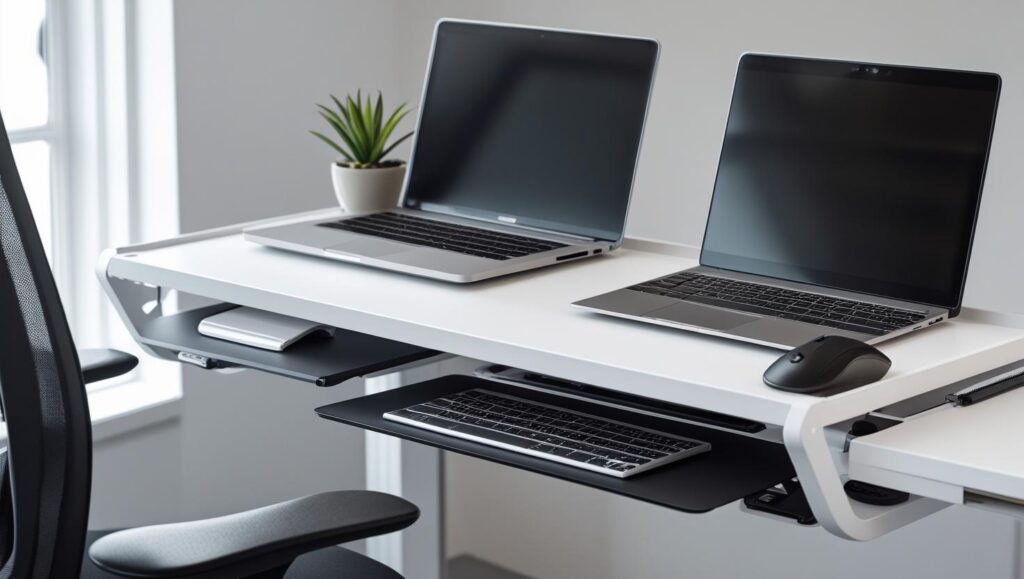
- Integrate technology: monitor arms save space and improve ergonomics
Core features of an ergonomic workstation
Regardless of office size, an ergonomic workstation must meet basic requirements that support employee well-being. These include adjustability, organization, and proper support for different parts of the body.
Essential features include:
- Adjustable height: desks and chairs that adapt to different body types
- Proper support: lumbar, wrist, and foot support
- Good lighting: natural light or adjustable task lighting to reduce eye strain
- Cable management: organized wiring to prevent clutter and accidents
Practical tips to optimize space with ergonomics
One of the biggest challenges in small offices is combining ergonomics with efficient space use. Simple solutions can significantly improve the experience:
- Choose compact furniture: L-shaped or foldable desks that adapt to the space
- Use functional partitions: acoustic panels that also work as pinboards
- Make use of walls: shelves and vertical supports free up floor space
- Invest in foldable ergonomic chairs: ideal for shared or flexible environments
Integrating ergonomics with workplace design
Having ergonomic furniture isn’t enough—it needs to align with the overall design of the space. A compact ergonomic workstation should be part of a design concept that values aesthetics, comfort, and efficiency. This includes color choices, material selection, and layout planning.
A well-designed environment:
- Conveys professionalism: clients and employees notice the attention to detail
- Encourages creativity: thoughtful colors and clean design positively affect mood
- Simplifies maintenance: organized spaces reduce clutter and furniture wear
Practical examples of compact ergonomic workstations
To illustrate how ergonomic workstations can be applied in small offices, here are a few common examples:
- Individual stations with foldable desks: ideal for startups that need flexibility
- Shared desks with acoustic dividers: enable collaboration without sacrificing privacy
- Minimalist home offices: wall-mounted fold-down desks with adjustable chairs
- Hybrid environments: mobile workstations that can be rearranged as needed
Common mistakes when setting up compact ergonomic workstations
Despite good intentions, many companies make mistakes when implementing ergonomic workstations in small spaces. Common issues include:
- Choosing furniture based only on size: ergonomics is more than just compactness
- Ignoring circulation: narrow pathways reduce safety and comfort
- Overcrowding workstations: too many desks in limited space harm usability
- Underestimating chair quality: the chair is just as important as the desk
Conclusion
The compact ergonomic workstation is a strategic solution for companies facing the challenge of optimizing small spaces without sacrificing employee well-being and productivity. With careful planning, the right furniture choices, and attention to ergonomic details, small offices can be transformed into functional, comfortable, and inspiring environments.
Now we’d love to hear from you: have you considered implementing an ergonomic workstation in your office? What challenges do you face in your space? Share your ideas and experiences with us.
Frequently asked questions (FAQ)
What is the main advantage of a compact ergonomic workstation?
It promotes comfort and well-being without compromising space efficiency—especially in small offices.
Can an ergonomic workstation be adapted for home offices?
Yes. Foldable desks, adjustable chairs, and monitor supports are ideal for residential environments.
Which furniture items are essential in an ergonomic workstation?
Adjustable chairs, height-appropriate desks, and monitor and keyboard supports.
Is a compact ergonomic workstation more expensive?
Not necessarily. There are affordable, multifunctional solutions for different budgets.
How can I tell if my workstation is truly ergonomic?
Your posture should feel natural: feet flat on the floor, arms at 90 degrees, and eyes aligned with the top of the screen.